



Originally published by Seamless Intelligence in 2020, based on The DFIR Report's "SQLServer, or the Miner in the Basement" case study.
This write-up from The DFIR Report walked through a relatively simple piece of malware installed on one of their honeypot servers. It was a good example of an easily preventable infection that could occur simply through misconfiguration. The original is well worth reading: SQLServer, or the Miner in the Basement.
We stepped through the article and tried much of what was in the scripts to test our monitoring ruleset for a Windows server. Below is what worked and what didn't as we went through the process.
Initial access
Initial access came from a pair of IP addresses that had nothing notable in terms of threat intelligence or reputation, but were located in regions that would be unusual for an Australian organisation.
95.156.252.94
ISP:          Pars Online PJS
Reverse DNS:  95.156.252.94.pol.ir
Country:      Iran
TOR Node:     No
Shodan tags:  self-signed, database
185.155.96.83
ISP: OU Web Hosting Solutions
Reverse DNS: N/A
Country: Estonia
TOR Node: NoFor initial access, we'll assume (as it isn't covered in the original write-up) that the account used had an easily guessable password with no brute-force lockout protection. In that case, an IP reputation check is of little value unless we also have logs with high-quality data points. The common log sources relevant here, and their value for security monitoring:
| Log source | Description | Outcome |
|---|---|---|
| Server authentication logs | Endpoint authentication logs on externally accessible services, including the username, authentication result and source IP, provide the best visibility. | High-confidence alarm |
| Firewall logs | Host-based or perimeter firewall logs with no context about what happened after a permit or deny provide little value, and given the volume of scanning against public services, may produce more alarms than can be investigated, especially where perimeter rules allow public access over common protocols like SSH or RDP. | Low-confidence alarm |
| Load balancer logs | If a load balancer handles authentication to services, it can be a valuable source. Most modern load balancers have detailed logs, sometimes including Web Application Firewall data. If the authentication module includes username, result, source IP and destination service, it enables high-confidence detections. | High-confidence alarm |
Here, authentication logs for the RDP login would have shown logins from Estonia and Iran, likely producing an alarm worth investigating. If firewall logs were all that was available, this access would probably blend into general internet noise and go uninvestigated.
Install.bat
The article then details an install script executed on the server. We modified the actual commands, as there were typos and commands that wouldn't run on our test server, and used a single example of each type. As always, run commands like these in a dedicated test environment; many, while not malicious on their own, alter the system state.
@echo off
net stop TrustedDriver
echo,Y|icacls c:\windows\fonts\*.exe /T /Q /C /RESET
wmic process where ExecutablePath='c:\\windows\\Fonts\\svchost.exe' delete
del /q /f "c:\test"
attrib +s +h "c:\Windows\Fonts\svchost.exe"
taskkill /f /im wscript.exe
Some of the more interesting commands:
- icacls shows or modifies Access Control Lists (ACLs) in Windows. Here it resets all the ".exe" files in the fonts directory to their default inherited ACLs with the /RESET parameter.
- wmic provides a command-line interface to Windows Management Instrumentation (WMI). Here it's used to kill a process matching the 'where' clause, an unusual use of WMIC.
- attrib changes file attributes. The '+h' sets the file to hidden.

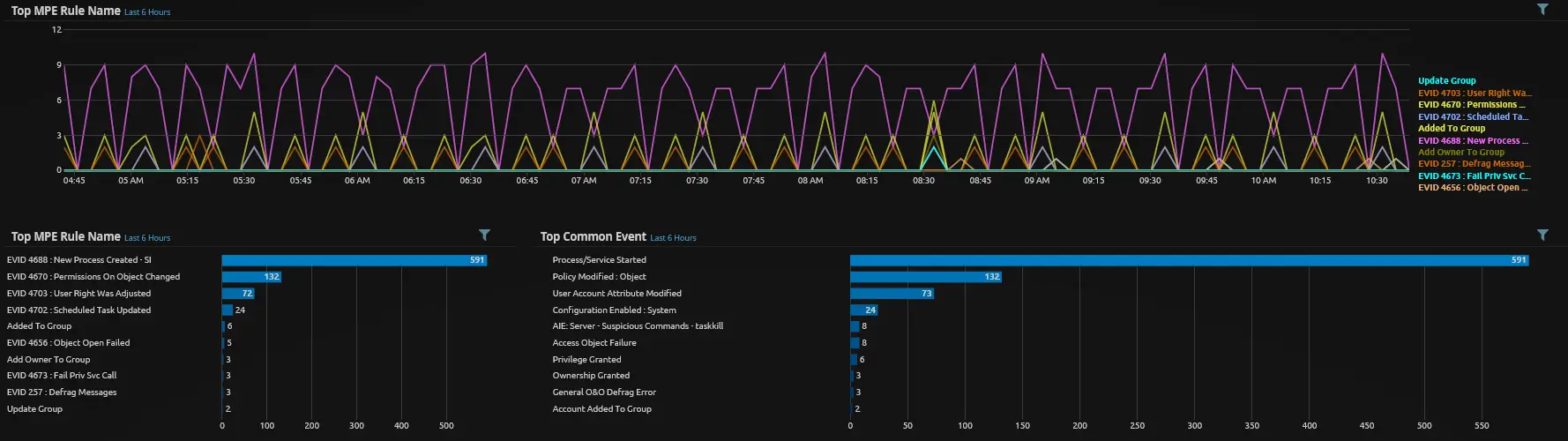
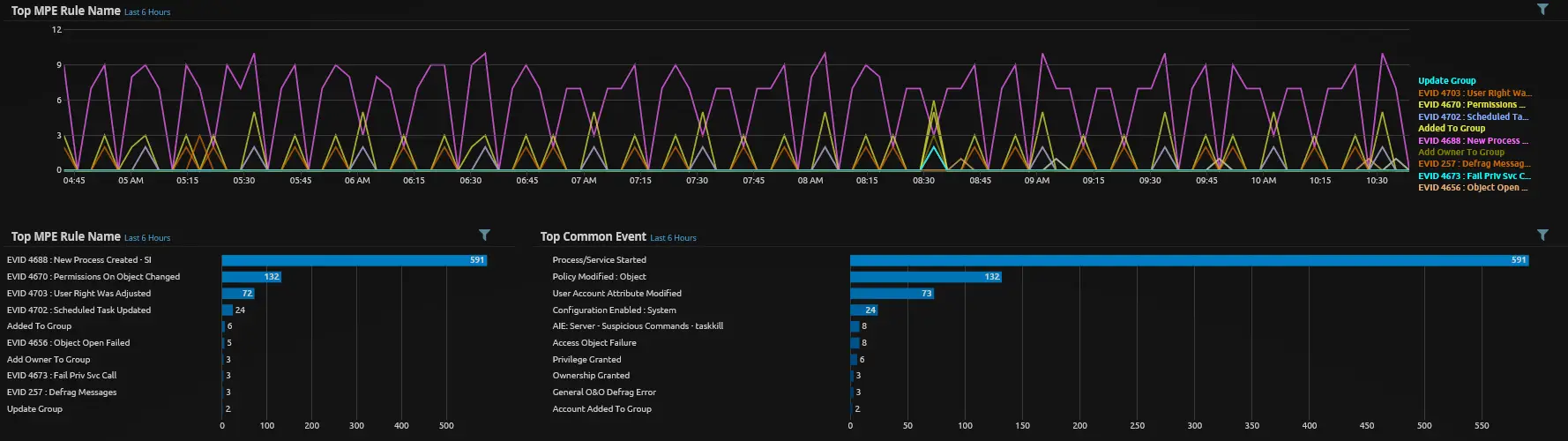
From this set of commands we can test, tune and build rules to capture the more suspicious activity. As shown above, we tested a few rule types with varying success; the hardest part is that this activity often doesn't look radically different from normal administrative tasks. We build rules around this in two ways:
- Generic rules. The "Server, Discovery Commands" rule above is a generic rule bunching several discovery-type commands together. These are usually low-confidence, and we often auto-close them after using certain elements to feed further monitoring.
- Specific rules. Where we can apply more logic, we create a specific rule looking for additional indicators that mark the event as different from normal admin activity. For example, the "Server, Suspicious Command, Attrib" rule requires the '+h' parameter to fire.
There's always a fine line between reducing false positives and losing the ability to detect something. In this DFIR case, the malware performs so many actions in such a short window that it's hard to miss.
Registry
Next, several components are installed, one of which modifies the registry for persistence. Monitoring specific parts of the Windows registry is gold, and Sysmon is by far the easiest freely available way to do it. Below is the registry addition that makes part of the malware run every time any executable runs.
Registry key: HKLM\SOFTWARE\Classes\exefile\shell\open\command
Value:        %SystemRoot%\svchost.com "%1" %*
The command below adds a key to the registry to test your monitoring:
reg add HKLM\SOFTWARE\Classes\exefile\shell\open\command /v %SystemRoot%\hacker.com /t REG_SZ /d "\"%1\" %*"Below is the Sysmon config for this part of the registry. You can create a rule for any registry-related Sysmon event, or specific rules for each item you're watching. It's striking how many things write to the 'run' area for startup execution; alerting on every one would be a waste of time.
<!-- SYSMON EVENT ID 12 & 13 & 14: REGISTRY MODIFICATION [RegistryEvent] -->
<RegistryEvent onmatch="include">
  <TargetObject condition="contains">shell\open\command\</TargetObject>
</RegistryEvent>
Update.bat
Next is update.bat, which updates some components and performs activities around scheduled tasks and stopping/starting services. The other commands are variants of things seen in install.bat.
net stop TrustedDriver
taskkill /f /im wscript.exe
SCHTASKS /Delete /TN \SERVERQR /F & SCHTASKS /create /tn \SERVERQR /sc DAILY /mo 365 /tr "cmd /c echo,Y|icacls c:\windows\fonts\*.exe /G everyone:f"
Some of the interesting commands:
- net has many subcommands, and monitoring them selectively beats a generic 'net' rule. Here the malware uses it to stop and start Windows services, a common event on Windows servers.
- taskkill kills a task. It's fairly uncommon to see an admin use this on the command line.
- schtasks creates and deletes scheduled tasks, which is common and varies by environment. The important part is what's being executed, in this case an ACL change on an executable. Rules looking for unusual activity within the command work best here; try not to be too specific just to catch one example.
Commands that produce no logs
Some commands produce no Process Creation logs in Windows, such as "del" and echoing content into a file. This is a big enough topic that we'll cover it in a separate write-up.
del /q /f "c:\test"
echo 127.0.0.1 example.com >> %WINDIR%\system32\drivers\etc\hosts
start %windir%\fonts\hackerman.exe
Reference
SQLServer, or the Miner in the Basement
thedfirreport.com
The original write-up from The DFIR Report, including the script commands and other indicators of compromise.